ChatSlide 3.1 and Makeform Bring Agentic AI to the Classroom: One Prompt to a Finished Lesson Deck, Narrated Video or Quiz
San Francisco, CA - October 27, 2026 - PRESSADVANTAGE - The AI presentation platform used by more than 290,000 people
Press Release Disclaimer: This is a press release distributed through the XPR Media network. It has not been independently verified by our newsroom.

San Francisco, CA – October 27, 2026 – PRESSADVANTAGE –
The AI presentation platform used by more than 290,000 people adds an editable agent workspace, one-prompt narrated video, 3D model generation, research citation tools, a ChatGPT plugin and an interface in 35 languages. The release is built around the people who present most often: teachers, lecturers, students and researchers. ChatSlide is pairing the release with Makeform, the free AI form builder, so the quiz, poll or exit ticket that follows a lesson is built the same way as the deck.
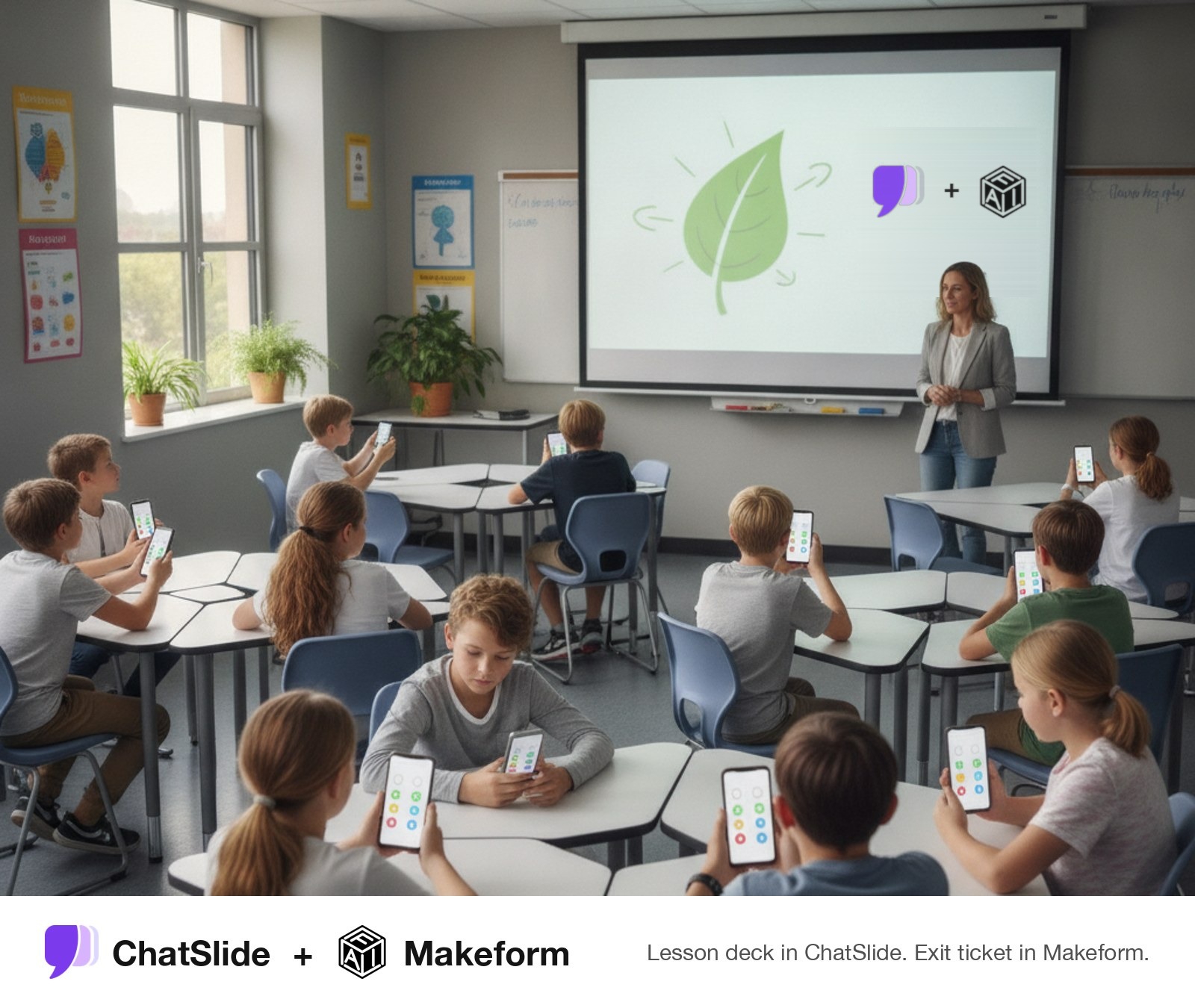
ChatSlide and Makeform in the classroom: a lesson deck built in ChatSlide, with an exit ticket in Makeform. Image generated with AI.
ChatSlide, the AI presentation and video platform built by DrLambda, today announced ChatSlide 3.1. The release turns ChatSlide from a slide generator into an agent that plans and builds the whole deliverable, then lets the user edit the result directly. A syllabus, a chapter PDF, a set of lecture notes or a single prompt now becomes an editable presentation, a narrated video or a 3D model that a teacher can open in class the same day. Together with Makeform, the same lesson can end with an AI-built exit ticket that students open from a QR code on the final slide.
Education has always been the largest use case for ChatSlide, the AI presentation maker for teachers and students. Teachers prepare dozens of decks a term. Lecturers turn readings into slides every week. Students present capstones, theses and lab reports, and researchers present at conferences and defenses. ChatSlide 3.1 is designed for that workload, where the slow part is rarely the first draft and almost always the rebuilding that follows it.
“People do not want a first draft they have to rebuild by hand. They want the finished thing, and they want to change any part of it in one click,” said Quanlai Li, founder of ChatSlide. “ChatSlide 3.1 lets the agent do the assembly. You keep control of every slide, every chart value and every line of narration.”
The first generation of AI presentation tools solved the blank page. A teacher could type “photosynthesis for grade 7” and get ten slides back in a minute. The problem was what came next. The slides were generic, the facts were not tied to the textbook the class actually uses, the charts were pictures that could not be corrected, and any change meant regenerating the whole deck or rebuilding it by hand in PowerPoint.
Classroom materials have requirements that a generic deck does not meet: They have to follow the course material. A lesson deck is built from a specific chapter, reading list or curriculum standard, not from whatever a model remembers about the topic. They have to be correct in the details. A wrong number on a chart or a misattributed quote in front of thirty students costs more time than it saves. They change every term. Teachers reuse and adjust materials constantly, so the deck has to stay editable after the AI is finished with it. They reach students in more than one format. The same lesson often needs slides for class, a recorded video for students who were absent, and a handout or study guide for review.
ChatSlide 3.1 addresses each of these directly. The sections below describe what is new and how educators can use it.
Agentic Mode is the center of the release. Instead of generating a deck from a one-line topic, the agent plans the presentation, builds it, and hands back a deck the user can keep editing.
Create from source files. Upload papers, textbook chapters, reports or lecture notes and the agent builds the presentation from them, so the slides follow the material the class is actually studying. Teachers who already convert readings into slides can read the PDF to presentation guide or start directly from PDF to Presentation. Edit on the canvas. Change slide text and chart values directly on the slide. A teacher who spots a wrong figure fixes that one number, not the whole deck. Undo and redo that persist. Edit history is kept between sessions, so a lecture prepared on Sunday can be adjusted on Monday morning without losing earlier versions. Saved sessions. Agent presentations and their history are saved to the user’s account and can be reopened at any point in the term. Export to PowerPoint and PDF. Agent decks export to PPTX for schools that standardize on Microsoft Office, and to PDF for posting to a learning management system or printing as a handout. Accessible navigation. Agent decks support accessible navigation, which matters for schools with accessibility requirements and for students who rely on assistive technology.
For a step-by-step classroom workflow, see the teacher lecture presentation guide and the comparison of AI slideshow makers for teachers.
Ask Agentic Mode for a video and it plans the scenes, chooses a narration voice and renders an animated, narrated MP4. Follow-up requests such as “use a calm female voice” re-render the same video rather than starting over. Video generation now also runs on Google’s Gemini Omni and Seedance 2.5.
For educators this removes the most time-consuming part of building recorded material. A flipped-classroom lesson, a recap for students who missed class, or a short explainer for a learning management system module can come from the same source as the slide deck. Teachers who want more control can write or edit the narration with the AI script generator, add a presenter with the AI avatar generator, or narrate in their own voice with AI voice cloning.
Video works well for subjects where students benefit from replaying an explanation, such as language learning. The ESL lesson presentation guide shows how teachers structure those lessons, and the YouTube to PowerPoint guide covers the reverse direction, turning an existing video into slides.
ChatSlide 3.1 can turn a text description or an image into a downloadable 3D model in the standard .glb format. Users preview and rotate the model in the browser, find it again in their resource library, and share it by link in the same way as a shared deck or video.
In a classroom, a rotatable model often explains more than a flat diagram: a cell, a molecule, a historical artifact, a landform or an engineering part. A science teacher can generate the model, show it on the projector, and share the link so students can explore it at home. Because the output is a standard .glb file, it also opens in other 3D viewers and tools that support the format.
The new ChatSlide plugin for ChatGPT lets ChatGPT draft a deck’s titles and bullet points and open them as a real, editable ChatSlide presentation. Many teachers and students already plan lessons and assignments in ChatGPT. With ChatSlide 3.1 they can move that plan straight into a deck they can design, edit and present, without copying text between windows. Makeform is available as a ChatGPT plugin as well, so one ChatGPT conversation can produce both the lesson deck and the quiz that follows it.
ChatSlide 3.1 adds tools for the academic side of education, where presentations must stand up to examiners, reviewers and conference audiences.
Citation panel. Research search now includes a citation panel with 6 citation styles and export to BibTeX, RIS and EndNote, so references move into the reference manager a student or lab already uses. Deck-structure presets. Presets for PICO, PRISMA and IMRAD give a research deck the structure reviewers expect, from a systematic review to a standard results presentation. Brand match. Upload a .pptx template, such as a university or department template, and ChatSlide adopts its colors and fonts, so a thesis defense or departmental talk follows institutional style without manual reformatting.
Graduate students and faculty can find detailed walkthroughs for the most common academic presentations: PhD thesis defense presentations, research proposal defense presentations, research poster presentations, statistics and research methods presentations, and from research to slides: an end-to-end workflow.
GPT-6 Astra on the Ultimate plan and the GPT-5.6 lineup for paid plans. DeepSeek V4 Flash as the writing model on the free tier, so students and teachers who do not pay still get a current model. Seedream v5 Pro image generation and editing, for illustrations and diagrams on lesson slides. See the AI image generator. New stock narration voices, plus avatar placement and background controls for video lessons.
The ChatSlide app is now available in 35 languages, matching the website, including Arabic, French, German, Italian, Brazilian Portuguese and Simplified Chinese. Teachers in bilingual and international schools, and students who study in a second language, can work in the interface they read most comfortably. For teaching across languages, see multi-language teaching with ChatSlide.
A lesson rarely ends with the last slide. Teachers follow up with a quiz, an exit ticket, a poll or a sign-up form. For that step, ChatSlide recommends Makeform, a free AI form builder listed under Recommended Tools on the ChatSlide dashboard. Teachers describe the form they need in a chat, and Makeform drafts the questions, structure and logic. Makeform’s free plan includes unlimited forms, unlimited submissions and more than 30 field types, with no credit card required.
The latest Makeform release, Changelog #10, adds features that fit how schools work: Workspaces. Keep each class, course or department in its own workspace and move forms between them as the term changes. Team member access. Assign Owner, Admin or Viewer roles, so co-teachers and teaching assistants see only the forms they need. Inbox view. Review, filter and highlight every submission in one place, which makes grading a quiz or reading exit tickets faster. Scheduled form close. A quiz or assignment form stops accepting responses at a set date and time, with a custom message for late arrivals. Zapier integration. Send submissions to more than 5,000 apps, such as a spreadsheet, gradebook workflow or email tool. QR code logos. Pro users can add a school or club logo to a form’s QR code for printed handouts and posters.
Makeform’s core tools cover the rest of the cycle, from writing the form to reading the answers: Makeform plugin for ChatGPT. Makeform recently launched a ChatGPT plugin. A teacher can ask ChatGPT for a quiz, poll or sign-up form and get a real Makeform form back, ready to edit and share. Together with ChatSlide’s own ChatGPT plugin, a lesson planned in ChatGPT can become both the deck and the follow-up form. Logic built by the AI. Makeform generates multi-page forms with conditional logic and shows the flow in a visual logic map, so a quiz can send a student who misses a question to a short review page before moving on. Ask AI on results. Teachers can chat with the submissions and ask questions such as “which question did most students get wrong?” instead of reading every response one by one. File uploads. Upload fields collect worksheets, photos of lab notebooks or project files, up to 20 MB per file. Live preview while building. The form builder updates the preview as the AI writes, and questions can be reordered by drag and drop. Spam protection and custom domains. Built-in anti-bot protection keeps public sign-up forms clean, and forms can be served from a school’s own domain.
A typical pairing: build the lesson deck in ChatSlide, put a QR code to a Makeform exit ticket on the final slide, and set the form to close at the end of the school day.
The new features are most useful in combination. Below are workflows for common roles in education.
A teacher uploads the chapter the class is reading this week and asks Agentic Mode for a lesson deck with a warm-up question, three key ideas, a short activity and an exit ticket. The agent builds the deck from the chapter. The teacher corrects anything that does not match how they teach it, directly on the canvas, and exports to PowerPoint or PDF. The same session then produces a short narrated recap video for students who were absent, and a Makeform exit ticket checks what the class understood.
Teachers working with diverse learners can read the special education presentation guide and the life skills education guide. For review materials, the cheat sheet and study guide maker shows how to turn a unit into a compact review sheet.
A lecturer uploads the week’s readings and asks for a 50-minute lecture deck. With brand match, the deck uses the department’s PowerPoint template. Charts built from the readings can be corrected value by value, and citations export to the reference manager the lecturer already uses. Discipline-specific guides cover computer science lectures, molecular biology lectures, MBA and business education and law school case briefs.
Health sciences education combines heavy source material with strict accuracy requirements. The PICO and PRISMA presets, the citation panel and source-file grounding were built for this kind of teaching. See the nursing education presentation guide, the dental lecture guide and the cancer biology lecture guide.
Students use ChatSlide for the presentations their courses require: capstone projects, case studies, lab reports and thesis defenses. Agentic Mode builds the first version from their own notes and sources, and the canvas editor lets them refine it until it reflects their own work. Start with the capstone project presentation guide or the case study presentation guide.
Course creators building online modules need slides, narrated video and assets that can be updated each cohort. ChatSlide 3.1 produces all three from one source and keeps them editable. See course creation for teachers and ChatSlide for Training.
ChatSlide 3.1 is live today. Agentic Mode and 3D model generation are in beta. One-prompt video and 3D model generation are available on the Pro plan and above. Plan details are on the pricing page. Educators can start free from ChatSlide for Education or browse ready-made presentation templates.
About ChatSlide:
ChatSlide is an AI platform that turns prompts, documents and data into presentations, narrated videos and visual content. More than 290,000 people use ChatSlide, including teachers, students, researchers, clinicians and consultants. ChatSlide is built by DrLambda. Learn more at chatslide.ai or read the ChatSlide guides.
About Makeform:
Makeform is a free AI form builder. Users describe the form they need in a chat and Makeform builds the questions, structure and conditional logic. The free plan includes unlimited forms, unlimited submissions and more than 30 field types, with no credit card required. Makeform is used by teachers, startups and makers for quizzes, surveys, sign-ups and feedback forms, and is available as a ChatGPT plugin. Learn more at makeform.ai.
###
For more information about ChatSlide.ai, contact the company here:
ChatSlide.ai
Quanlai Li
919-637-7701
contact@chatslide.ai
San Francisco, CA